On this page
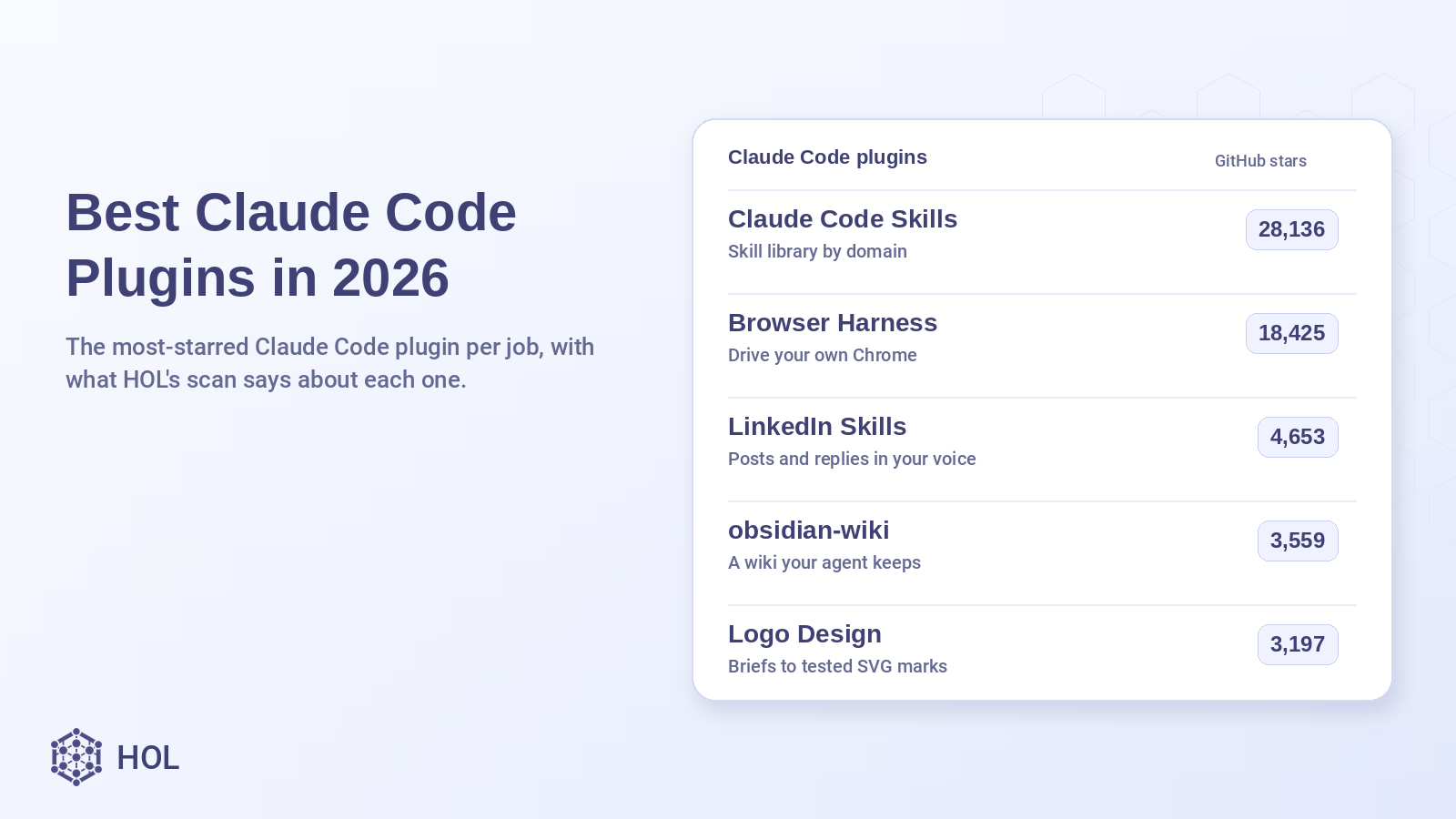
The best Claude Code plugins in 2026, by adoption, are Claude Code Skills, Browser Harness, LinkedIn Skills, obsidian-wiki, Logo Design Skill, EdgeOne Makers, Traceway, agmsg, claude-council and Boss. Each is the most-starred plugin built for Claude Code first in its job, none has a high or critical finding in the HOL Plugins catalog, and every install command below comes from the plugin's own README or marketplace file.
The Best Claude plugins page on hol.org ranks all 617 Claude Code listings by Trust Score. This post starts from the other end: the plugins people already use most, and what HOL's scan says about each of them. Most of them carry a Caution or Review label. For all ten picks, that label comes from missing links in the plugin manifest and a missing lockfile, not from anything the scanner found in the code, and each entry spells out which.
TL;DR: best Claude Code plugins
| Plugin | What it does | GitHub stars | HOL security label |
|---|---|---|---|
| Claude Code Skills | Skill library you install by domain: engineering, product, marketing, compliance and more | 28,136 | Review (71) |
| Browser Harness | Lets Claude Code use your own Chrome, logged in as you | 18,425 | Caution (59) |
| LinkedIn Skills | Drafts LinkedIn posts, comments and replies that wait for your approval | 4,653 | Review (71) |
| obsidian-wiki | Turns what you work out into a linked markdown wiki | 3,559 | Caution (59) |
| Logo Design Skill | Runs a logo project from brief to tested SVG files | 3,197 | Caution (59) |
| EdgeOne Makers | Builds and deploys projects on Tencent EdgeOne Makers | 1,850 | Caution (64) |
| Traceway | Instruments your app and queries production errors from the agent | 1,605 | Caution (59) |
| agmsg | Lets Claude Code, Codex and other CLI agents message each other | 1,546 | Caution (59) |
| claude-council | Asks several other models the same question and compares the answers | 872 | Caution (59) |
| Boss | Runs a requirements-to-ship pipeline with a gate at each stage | 542 | Review (88) |
Labels and scores were read from the HOL catalog on Oct 28, 2026. Star counts come from HOL's last GitHub fetch on Oct 14, 2026, so the live numbers on GitHub may be higher.
How we picked these
HOL indexes 617 plugins that list Claude Code as a supported runtime, and 334 of them name Claude Code as their primary runtime. Across all 617, 98 carry a Safe label, 99 Review, 330 Caution and 3 Unsafe, and 87 have not been scanned yet.
We kept plugins whose primary runtime is Claude Code and that have no high or critical finding. Then we opened every finding on each candidate and dropped any plugin with a finding outside two kinds: missing marketplace links in the manifest, and a missing lockfile. That removed, for example, a popular Draw.io MCP server with a high finding on its remote MCP transport. From what was left we picked the most-starred plugin for each of ten jobs and skipped anything that repeated a job already covered. Two Claude Code plugins that made our Codex roundup, deja and Claude Code for Codex, are left out so this list doesn't repeat it.
Why are well-known plugins labeled Caution? The label comes from the security component of the Trust Score alone: Safe is 90 to 100, Review 70 to 89, Caution 45 to 69 and Unsafe below 45. A medium finding takes 12 points off and a low finding takes 5. A plugin whose manifest has no website, privacy policy or terms of service link, and whose repo has no lockfile, loses 41 points and lands at 59, inside the Caution band, even when nothing in its code was flagged. Of the 429 Claude Code listings labeled Caution or Review, 422 carry at least one publishability finding, the category these manifest-link gaps fall under.
There is a second limit to read before you install. For all ten picks, HOL's per-skill content scanner was unavailable when the listing was scanned, so these are partial scans. HOL checked manifests, MCP settings, provenance and the supply chain, but did not analyze each SKILL.md file in depth. The scan is static and does not run the plugin. Treat the label as evidence about packaging, not as a code review.
What are Claude Code plugins?
A Claude Code plugin is a folder of components that Claude Code installs and loads as one unit. According to Anthropic's plugin docs, a plugin can hold any mix of these:
- Skills: instructions Claude loads when a task matches, or that you call with a slash command.
- Agents: subagents Claude can hand work to.
- Hooks: commands that run at points in Claude Code's lifecycle, such as after every edit.
- MCP servers: connections to outside tools and data.
A manifest at .claude-plugin/plugin.json names the plugin. Plugins come from marketplaces, which are catalogs listed in a .claude-plugin/marketplace.json file, usually in a GitHub repo. An enabled plugin is part of every session: the names and descriptions of its skills sit in Claude's context on each turn, its MCP servers run alongside the session, and whatever it runs, it runs as you.
How to install Claude Code plugins
In the terminal
Start Claude Code with claude in your project. If the plugin lives in a third-party marketplace, add the marketplace once, then install the plugin by name and marketplace:
/plugin marketplace add owner/repo
/plugin install plugin-name@marketplace-name
Inside a session, /plugin install opens the plugin's details so you can review what it adds and choose a scope: just you, everyone on this repository, or you in this repository only. Run /plugin with no name to browse the Discover tab. Anthropic's official marketplace is added for you the first time you start an interactive session.
In the desktop app
In a local or SSH session on the Code tab, click the + button next to the prompt box, choose Add plugins, select the plugin and pick a scope.
In VS Code
Type /plugins in the Claude Code panel to open Manage plugins, find the plugin on the Plugins tab and click Install. Add third-party marketplaces on the Marketplaces tab.
From your shell
To install without opening a session, for example in a setup script, use the CLI form. It installs at user scope by default and loads the next time you start Claude Code:
claude plugin marketplace add owner/repo
claude plugin install plugin-name@marketplace-name
To see what an installed plugin costs in context, run claude plugin details plugin-name. To turn one off without uninstalling it, run claude plugin disable plugin-name@marketplace-name.
Claude Code skills vs plugins
| Skill | Plugin | |
|---|---|---|
| What it is | A folder with a SKILL.md file and optional supporting files | A package that can bundle skills, agents, hooks and MCP servers |
| Where it lives | ~/.claude/skills/ for all your projects, .claude/skills/ for one repo | A marketplace, installed with /plugin or claude plugin install |
| How you call it | /skill-name, or Claude loads it when the task matches | Its skills are namespaced, as in /plugin-name:skill-name |
| Updates | You copy the new files yourself | Through its marketplace |
| Good for | One workflow you repeat | A setup you want to share, version or install in many projects |
Anthropic's docs put the rule plainly: skills, subagents, hooks and MCP servers all work without a plugin, and you reach for a plugin when you want several of them packaged as one unit. Several entries below ship both ways, as a plugin and as plain skills you can copy.
The 10 best Claude Code plugins
1. Claude Code Skills: a skill library you install by department
Alireza Rezvani's library covers engineering, DevOps, product, marketing, regulatory and quality work, finance and C-level advisory, with Python helper scripts that use only the standard library. You add one marketplace and install the domain bundles you need instead of the whole set.
- Trust Score 67, security 71 (Review), 0 high findings
- Findings behind the label: no privacy policy or terms links in the manifest, no lockfile
- 28,136 GitHub stars, 3,937 forks
- HOL's scan indexed 698 skill files and 1 MCP server
Install from the README:
/plugin marketplace add alirezarezvani/claude-skills
/plugin install engineering-skills@claude-code-skills
Swap engineering-skills for product-skills, marketing-skills, c-level-skills or another bundle from the README list.
Example prompts from the README:
Using the senior-architect skill, review our microservices architecture and identify the top 3 scalability risks.
Using the content-creator skill, write a blog post about AI-augmented development. Optimize for SEO targeting "Claude Code tutorial".
Pros: the most-starred listing in HOL's catalog that names Claude Code as its primary runtime. Bundles by domain keep you from loading hundreds of skill descriptions you'll never use.
Cons: the size cuts both ways, since every enabled skill adds its name and description to each turn. The project's own skill counts differ between its README and its marketplace file. The listing is not owner verified on HOL.
2. Browser Harness: let Claude Code work in your own Chrome
Browser Use's harness connects the agent to the Chrome you already run, logged in as you, over the Chrome DevTools Protocol. It can open pages, click, type, read and download. When a helper is missing, the agent writes it into a local workspace, and the core package stays protected.
- Trust Score 59, security 59 (Caution), 0 high findings
- Findings behind the label: no website, privacy policy or terms links in the manifest, no lockfile
- 18,425 GitHub stars, 1,806 forks
- 3 skills; an MCP server is also available
Install: the README's route is to paste this setup prompt into Claude Code, which installs the tool and registers the skill:
Install or upgrade browser-harness to the latest stable version with uv using Python 3.12, register the skill from `browser-harness skill`, and connect it to my browser. Ask whether I want local browser recordings enabled; default to no and preserve my existing preference on upgrades. Follow https://github.com/browser-use/browser-harness/blob/main/install.md if setup or connection fails.The install guide's own first step, if you'd rather run it yourself:
uv tool install --python 3.12 --upgrade --force browser-harnessOn first connection, tick the remote debugging checkbox at chrome://inspect/#remote-debugging.
Example prompt from the README, plus one built on the same open, read and download actions:
Open my X profile, find my latest 20 video posts, and download them.
Open my GitHub notifications and list the pull requests waiting for my review.
Pros: no separate browser profile to log into. In the maintainer's benchmark of 100 browser tasks, its rubric score was statistically tied with Playwright MCP and Chrome DevTools MCP while using the fewest median input tokens (2.1M against 3.3M to 6.7M).
Cons: that benchmark was run with Codex only; Claude Code was not measured. Remote debugging hands the agent your whole browser, not chosen tabs. The catalog version is 0.1.0.
3. LinkedIn Skills: posts and replies that wait for your OK
Twelve skills for LinkedIn: a post writer, comment and reply drafting, a pre-publish audit, a humanizer, a hook extractor, a 7-day content planner, a profile rewrite and an interviewer that builds a story bank the other skills read. Nothing is published until you approve it.
- Trust Score 74, security 71 (Review), 0 high findings
- Findings behind the label: no privacy policy or terms links in the manifest, no lockfile
- 4,653 GitHub stars, 777 forks
- HOL counted 13 skill files; the repo runs the HOL Plugin Scanner in its CI
Install from the README:
/plugin marketplace add sergebulaev/linkedin-skills
/plugin install linkedin-skills@linkedin-skills
Example prompts from the README:
Create a 7-day LinkedIn content plan. I'm a B2B SaaS founder targeting VPs of Marketing.
Optimize my LinkedIn profile for inbound leads: https://linkedin.com/in/yourname
Pros: works with no API keys at all; skills that need a post's text ask you to paste it. The highest Trust Score of the five most-starred picks.
Cons: reading posts and comments by URL needs an Apify token, billed per result after a $5 monthly free credit, and publishing directly needs Publora, whose free tier covers 15 posts a month. The listing is not owner verified on HOL.
4. obsidian-wiki: stop solving the same problem twice
Point it at a folder and it compiles what you and the agent work out into linked markdown pages you own, following the LLM Wiki pattern from Andrej Karpathy's gist. You capture what you just learned, query it later and open the result in Obsidian's graph view.
- Trust Score 60, security 59 (Caution), 0 high findings
- Findings behind the label: no website, privacy policy or terms links in the manifest, no lockfile
- 3,559 GitHub stars, 361 forks
- HOL counted 40 skill files
Install as a Claude Code plugin, per the README:
/plugin marketplace add Ar9av/obsidian-wiki
/plugin install obsidian-wiki@obsidian-wiki
Example prompts from the README:
set up my wiki
What topic clusters do I have?
Pros: plain markdown with no runtime, API keys or vendor in the loop. Plugin skills are namespaced, as in /obsidian-wiki:wiki-ingest, so they won't collide with your own.
Cons: the plugin ships the skills only. The session hooks that load context at start and capture at the end, and the obsidian-wiki CLI, come with the separate pip install. The catalog shows version 0.0.0.
5. Logo Design Skill: a designer's process instead of a one-shot image
Kaan Kiziltug's skill walks Claude through a brief, research in a library of more than 1,400 classified real-world SVG logos, eight to twelve concept lines and three built concepts. It then tests them at 16 px, in one colour and on a competitor shelf, and stops at a checkpoint. The full kit of colours, lockups, icons and guidelines comes only after you pick a direction.
- Trust Score 59, security 59 (Caution), 0 high findings
- Findings behind the label: no website, privacy policy or terms links in the manifest, no lockfile
- 3,197 GitHub stars, 240 forks
- 1 skill, owner verified on HOL
Install from the README:
/plugin marketplace add kaankiziltug/logo-design-skill
/plugin install logo-design@logo-design-skill
Example prompts from the README:
Design a logo for Harbor, a savings app for first-time savers. It should feel calm and safe.
Give me three wordmark directions for a specialty coffee roaster called Kiln.
Pros: output is real SVG with an audit script, not a raster mockup. The helper tools need only Python 3.8 and the standard library.
Cons: it works best with a model that can view images, because it renders its drafts to PNG and checks them. The logo library makes the package large; the README offers a lite zip without the SVG files for size-limited uploads.
6. EdgeOne Makers: deploy from the chat to Tencent's edge platform
Tencent EdgeOne's official skill covers deploying to EdgeOne Makers, Edge Functions, Cloud Functions in Node.js, Go or Python, KV and blob storage, middleware and AI agent projects built on LangGraph, CrewAI, the Claude Agent SDK and others. One router skill loads the matching reference only when a task needs it.
- Trust Score 65, security 64 (Caution), 0 high findings
- Findings behind the label: no website, privacy policy or terms links in the manifest
- 1,850 GitHub stars, 142 forks
- HOL counted 13 skill files (one router plus its references)
Install from the README:
/plugin marketplace add TencentEdgeOne/edgeone-makers-tools
/plugin install edgeone-makers-tools@edgeone-makers
Example prompts from the README:
Deploy this Next.js project and give me the preview URL
Set up Edge Functions with KV storage for a page view counter
Pros: published by the platform's own team, and the router design keeps one entry in your skill list. It and Boss are the only picks here whose scanned snapshot includes a lockfile.
Cons: useful only if you deploy to EdgeOne Makers. The listing is not owner verified on HOL.
7. Traceway: from bug report to root cause in production data
Traceway is an MIT-licensed observability platform built on OpenTelemetry. Its skills let Claude Code wire a repo up to report to Traceway and then query exceptions, logs, endpoints and metrics through the read-only traceway CLI.
- Trust Score 67, security 59 (Caution), 0 high findings
- Findings behind the label: no website, privacy policy or terms links in the manifest, no lockfile
- 1,605 GitHub stars
- 3 skills; the repo runs the HOL Plugin Scanner in its CI
Install from the README:
npx skills add tracewayapp/traceway --allThe repo's marketplace file also lists it as a Claude Code plugin named tw, so this works too:
/plugin marketplace add tracewayapp/traceway
/plugin install tw@traceway
Example prompts: the README's setup command, then a request for its documented exception query:
/traceway-setup
/traceway find the root cause of the most frequent exception this week
Through the plugin, the commands are namespaced as /tw:traceway-setup and /tw:traceway.
Pros: the query CLI is read only, and write access (archiving issues, acknowledging pages) is a separate opt-in at three levels with an audit log.
Cons: you need a Traceway instance, self-hosted with Docker Compose or on Traceway Cloud, before the query skill has anything to read. The listing is not owner verified on HOL.
8. agmsg: stop copy-pasting between your agents
agmsg lets Claude Code, Codex, Gemini CLI, Copilot CLI and other CLI agents send each other messages through a shared local SQLite file. Sessions join a team by name, and history stays in the database after a session ends. It isn't MCP and it isn't subagents: it connects peer sessions in different tools.
- Trust Score 62, security 59 (Caution), 0 high findings
- Findings behind the label: no website, privacy policy or terms links in the manifest, no lockfile
- 1,546 GitHub stars, 156 forks
- 1 skill, owner verified on HOL
Install from the README, inside Claude Code:
/plugin marketplace add fujibee/agmsg
/plugin install agmsg@fujibee-agmsg
/reload-plugins
/agmsg
Example prompts from the README, after /agmsg has asked for a team and agent name:
send alice a message saying the deploy is done
check my messages
Pros: needs only bash and sqlite3, with no daemon and no network. The npm package is published with SLSA provenance.
Cons: the plugin and npm builds are cut from tagged releases and can lag the main branch by a few fixes. Minimal Linux containers may need sqlite3 installed first.
9. claude-council: ask other models before you commit to an answer
claude-council sends one question to several providers in parallel, such as OpenAI, Gemini, Grok, Perplexity, Kimi, OpenRouter models, the Codex and Cursor CLIs or a local Ollama model. Claude then writes a synthesis of where they agree and where they differ. The maintainer pitches it for architecture decisions, debugging dead ends and security reviews.
- Trust Score 67, security 59 (Caution), 0 high findings
- Findings behind the label: no website, privacy policy or terms links in the manifest, no lockfile
- 872 GitHub stars, 106 forks
- 10 skills, owner verified on HOL; the repo runs the HOL Plugin Scanner in its CI
Install from the README (it needs curl and jq):
/plugin marketplace add hex/claude-marketplace
/plugin install claude-council
Then set at least one provider key, such as OPENAI_API_KEY, in the shell you start Claude Code from, or use a CLI you're already signed into.
Example prompts from the README:
/claude-council:status
/claude-council:ask "Should I use UUID or BIGINT primary keys for a SaaS users table?"
Pros: the synthesis names the premise that could change the answer, and the README says outright that agreement between models is not verification. A local council with Ollama or Claude subagents keeps everything on your machine.
Cons: with external providers, your question and any attached code go to each of them. The README asks you to read its "what gets sent and saved" section first. Paid API keys add cost per question.
10. Boss: a gated pipeline from requirements to ship
Boss splits work across nine roles (PM, architect, UI designer, tech lead, scrum master, frontend, backend, QA and DevOps). Each stage has a contract it must meet, such as Given-When-Then scenarios in the PRD or a failing test before code, and writes its output to .boss/<feature>/. Start at any stage and it runs the later ones until you tell it to stop.
- Trust Score 87, security 88 (Review), 0 high findings
- Finding behind the label: one referenced image, boss-skill-promo.png, is missing from the package
- 542 GitHub stars
- 29 skills, owner verified on HOL; the repo runs the HOL Plugin Scanner in its CI
Install from the README:
/plugin marketplace add echoVic/boss-skill
/plugin install boss@boss-skill
Example prompts from the README. The first is a read-only review of existing code that writes tech-review.md and plan.md and touches nothing else:
/boss:review
/boss Build a local personal todo app --skip-ui
Pros: the highest Trust Score on this list and one missing image away from a clean scan. Progress is judged by files on disk, and the README states no telemetry and no network calls by default.
Cons: the full chain is heavy for a small change, so use a single stage or --stop-after. Each artifact opens with a summary section headed in Chinese.
Popular Claude Code plugins we left out
ego-browser has 17,319 stars but does the same browser automation job as Browser Harness. Two big skill libraries, Jeffallan's claude-skills (11,885 stars) and pm-claude-skills (1,449), overlap with Claude Code Skills. The Draw.io MCP server has 1,484 stars but an Unsafe label from a high finding on its remote MCP transport. anymd, a file-to-markdown converter with 1,039 stars, has a low finding about its remote MCP server's authentication on top of the manifest gaps, so it fell outside our filter. If you want the catalog ranked by Trust Score instead of adoption, the Best Claude plugins page does that.
Build your own Claude Code plugin
The quickest start is the CLI scaffold, which writes a starter plugin under ~/.claude/skills/ that loads in every session:
claude plugin init my-toolTo work on a plugin in a folder elsewhere, load it for one session and check the manifest:
claude --plugin-dir ./my-plugin
claude plugin validate ./my-plugin
For help designing a larger one, Anthropic's plugin-dev plugin in the official marketplace adds /plugin-dev:create-plugin. When you publish, add a .claude-plugin/marketplace.json to your repo so others can run /plugin marketplace add on it.
For a plugin whose only findings are the ones described above, two fixes take the HOL security score from 59 to 100: add website, privacy policy and terms of service links to the manifest, and commit a lockfile. Then run the HOL Plugin Scanner on the repo, which can also run in GitHub Actions, and submit the plugin to HOL Plugins for a public Trust Score and listing. For a check on what plugins do at runtime on your machine, HOL Guard reviews agent actions before they run.
What do people ask about Claude Code plugins?
What is the best Claude Code plugin in 2026?
It depends on the job. By GitHub stars, Claude Code Skills leads the plugins in HOL's catalog that are built primarily for Claude Code, with 28,136. Among the ten picks here, Boss has the highest Trust Score at 87. For a list ranked by Trust Score alone, see the Best Claude plugins page on hol.org.
How do I install a plugin in Claude Code?
In a Claude Code session, run /plugin marketplace add owner/repo to add the plugin's marketplace, then /plugin install plugin-name@marketplace-name and choose a scope. From your shell, the same steps are claude plugin marketplace add and claude plugin install.
Are Claude Code plugins safe to install?
Not automatically. A plugin can bundle hooks and MCP servers that run commands as you. Check the plugin's HOL listing for its label and the specific findings behind it, read the README, and review what the /plugin details pane says it will install. HOL's scan is static and is not a safety guarantee.
Why does a popular plugin have a Caution label on HOL?
Usually because its manifest lacks website, privacy policy and terms of service links and its repo has no lockfile. Each missing link is a medium finding and the lockfile is a low one, which together put the security score at 59, in the Caution band. Open the listing to see whether that is all the scan found.
What is the difference between a Claude Code skill and a plugin?
A skill is one folder with a SKILL.md file that Claude loads when a task matches or when you call it by name. A plugin is a package that can bundle several skills plus agents, hooks and MCP servers, and installs and updates through a marketplace.
Do Claude Code plugins work in VS Code and the desktop app?
Yes. Type /plugins in the VS Code panel, or use Add plugins from the + menu in the desktop app's Code tab. The terminal, the desktop app's local sessions and VS Code on one computer share the same settings, so a plugin installed at user scope in one is available in the others. Cloud sessions at claude.ai/code don't load your locally installed plugins.
How do I get my plugin on this list?
Submit it through HOL Plugins, fix what the scan flags, including the manifest links, and keep a README with clear Claude Code install steps. We refresh this list from the catalog data.